
SAP Hybris Recipes
In SAP Commerce (Hybris), installer recipes define predefined setup templates that instruct the Hybris installer on what to install and how to configure it. Think of a recipe like a ready-made installation plan.
SAP Hybris provides installer recipes only for demo or development purposes, so you should not use them in production environments.
An installer recipe combines extensions, configuration, and data initialization steps that SAP Hybris executes during the installation process. Instead of manually selecting extensions, setting up the storefront, and loading sample data, you can simply pick a recipe. Then, Hybris automatically performs the entire setup.
All recipes are available in installer/recipes folder
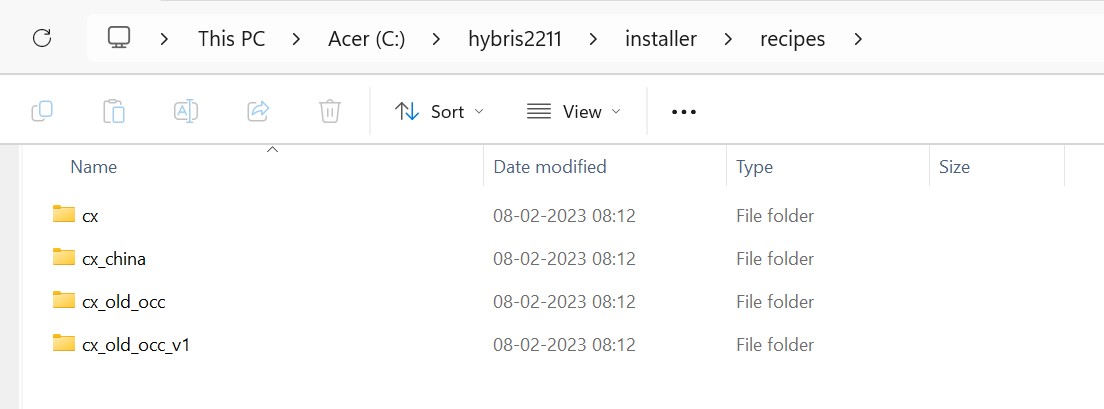
- cx(Default cx recipe):
- This is a standard and recommended recipe, which provides core commerce capabilities with modern cx(Customer Experience) architecture.
- This recipe includes Backoffice, CMS, Catalogs, Solr and Uses latest OCC implementation
- cx recipe is suitable for B2B, B2C or headless commerce setup.
- Cx recipe provides 3 sample B2C sites(apparel-uk, apparel-de, electronics) and 1 sample B2B site(powertools)
- cx_china(China specific cx recipe):
- SAP Hybris provides this extension of the standard cx recipe to address specific requirements of the China market.
- This includes region specific integrations and configurations, support localization, compliance and China specific commerce needs.
- cx_old_occ:
- This recipe is the same as cx recipe but used older OCC architecture.
- Uses the Addon version of OCC instead of OCC extensions.
- Useful for migrating from older SAP commerce versions.
- cx_old_occ_v1:
- This recipe relies on OCC v1 APIs, which SAP Commerce has now deprecated.
- Used strictly for legacy system support
in the installation post, I have explained how to install recipe.